How to read a cross stitch pattern
The chart pages
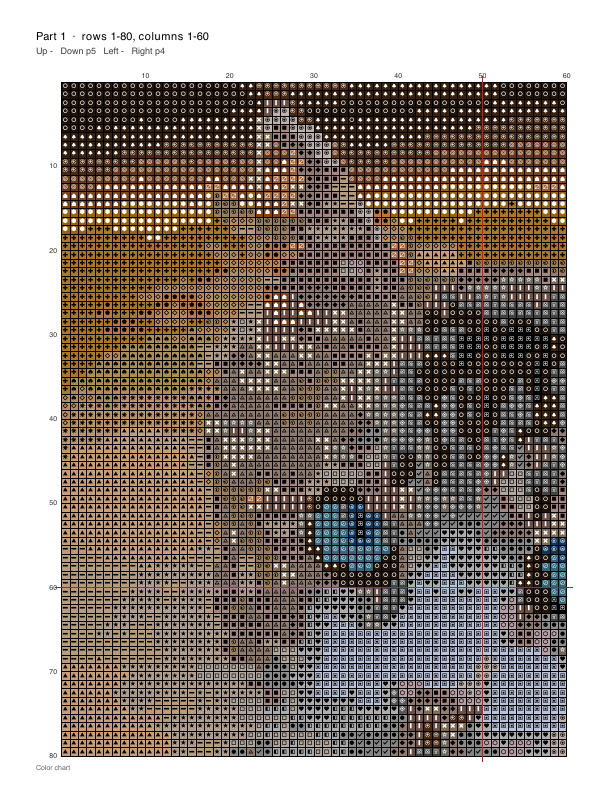
- Squares and symbols
- Each square is one full cross stitch. Each symbol stands for one floss color, and the same symbol always means the same color. An empty square is fabric you leave unstitched.
- Bold lines every 10 squares
- Every tenth grid line is darker and numbered along the edges. Count in blocks of ten instead of single squares; it is much harder to lose your place.
- Center lines
- The red lines mark the middle of the design. Fold your fabric in half twice to find its middle and start there, so the design ends up centered.
- Page pointers and overlap
- A large design is split over several pages. The top of each page says which page continues it up, down, left and right. Neighboring pages repeat one 10-square block, so you can line them up.
The thread key
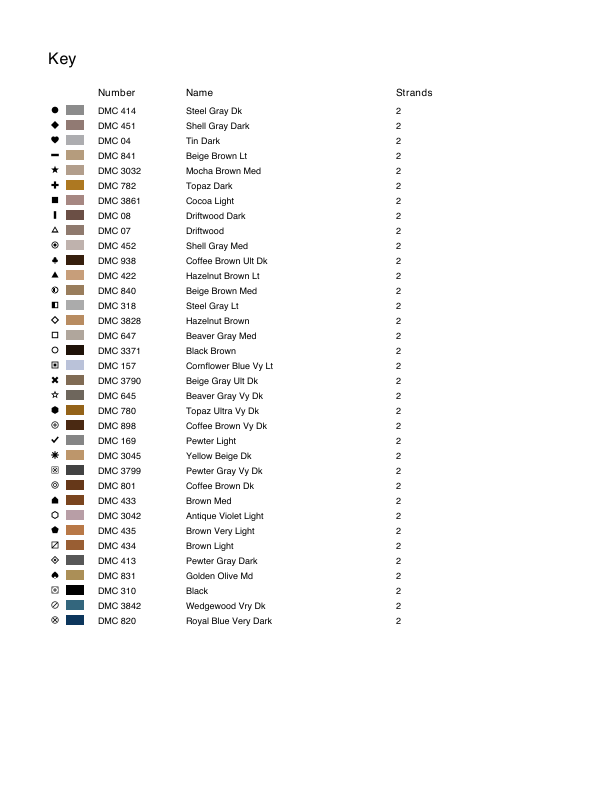
Symbol is the mark on the chart. Number is the DMC color number printed on the skein label, and Name is DMC’s name for it. Buy floss by the number; names can be similar.
Strands says how many of the six strands to stitch with, usually 2.
The next page, floss amounts, lists how many stitches each color has and about how many skeins to buy. It is an estimate; buy one extra skein of the colors you use most.
Look up any number on the DMC color chart.
The cover page
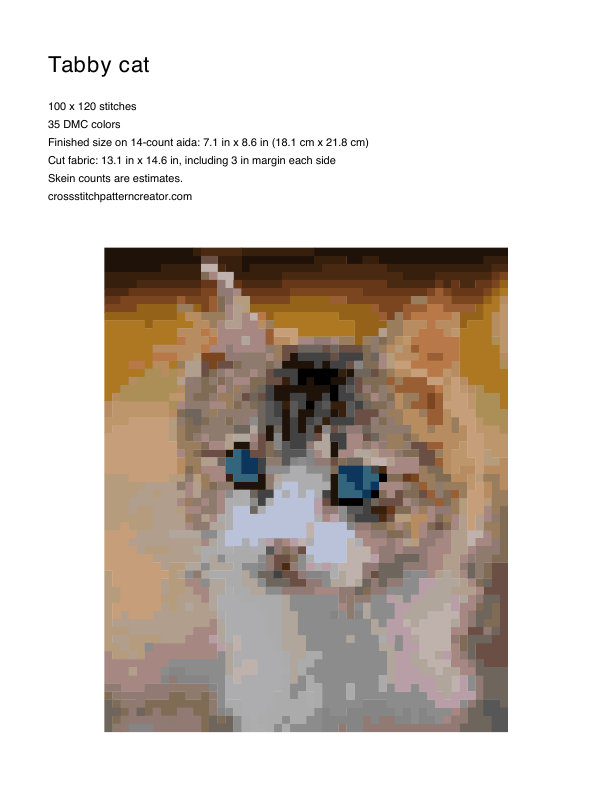
It lists the size in stitches, the number of colors, the finished size on the fabric the pattern was made for, and how much fabric to cut with a margin for the hoop.
On a different fabric the finished size changes: divide the stitches by the fabric count, or use the cross stitch calculator.
Practice with a small design from the free pattern library before a large one.
Questions
Where do I start stitching?
In the middle: find the center of the fabric by folding it, then start at the square where the red center lines cross on the pattern.
What does "2 strands" mean in the key?
Floss is made of six thin strands. Separate two and stitch with those two together. On 14-count Aida, two strands cover the fabric well.
Can I read the pattern on a tablet?
Yes. Open the PDF in Pattern Keeper or any PDF app. We tested our PDFs in Pattern Keeper on Android: it reads the symbols and the key, so you can mark stitches as you finish them.